Enter your reference code to begin the onboarding process.
How to get your Riiicycle Member ID
These are instructions specifically for mobile. If you're on a computer, follow steps 1 to 2 but instead of pressing copy, you need to manually key in the member ID into the form.
Step 1
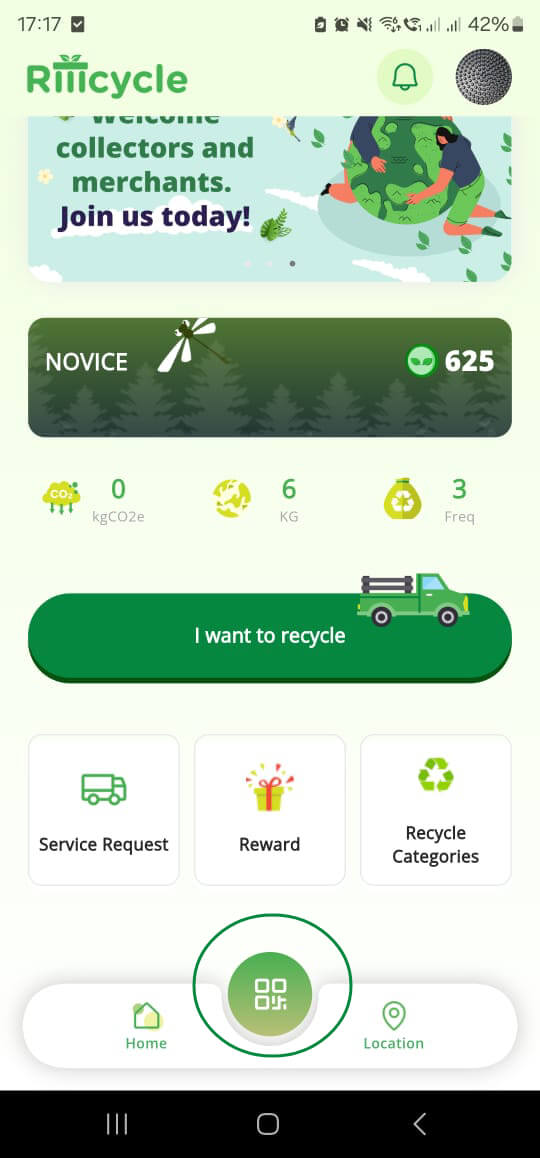
Open your Riiicycle App and login first. Upon successful login, you will see a QR button in the bottom Nav bar. Click on it.
Step 2
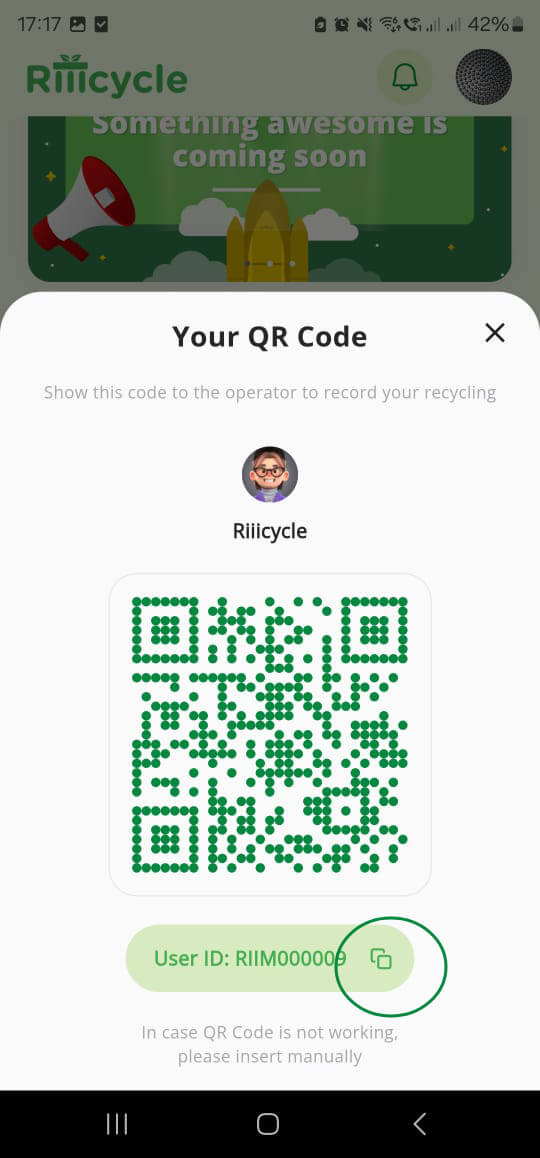
Click on the copy button on the member ID
Step 3
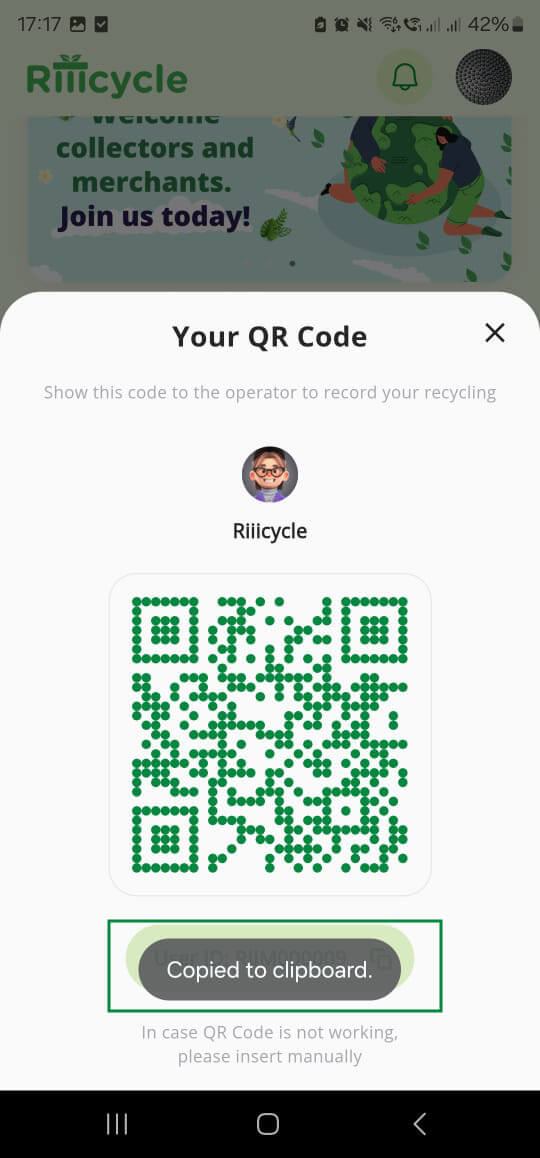
You will be shown "Copied to Clipboard"
Step 4
Close this modal, and paste it in the field of the form stating Riiicycle member ID